Fill & Expand
Edit, expand and transform your images
Erase and replace any blank area on the canvas. Fill empty sections to expand and grow images beyond their edges.
In the editor
- 1 Click Edit / Fill on an image in the editor.
- 2 Pick the move tool or the eraser.
- 3 Drag the frame past the image, or erase part of it. Whatever is empty inside the frame gets filled.
- 4 Write a prompt. Naming what should appear, like a sunset sky, gives better results than a bare fill request.
- 5 Submit, then click a result to add it to the canvas. It lands in the right spot automatically.
Round off hard edges with the eraser before you fill; smoother edges give more natural results. The amount matters too: a large empty area gives different results than a small one.
Read the help docs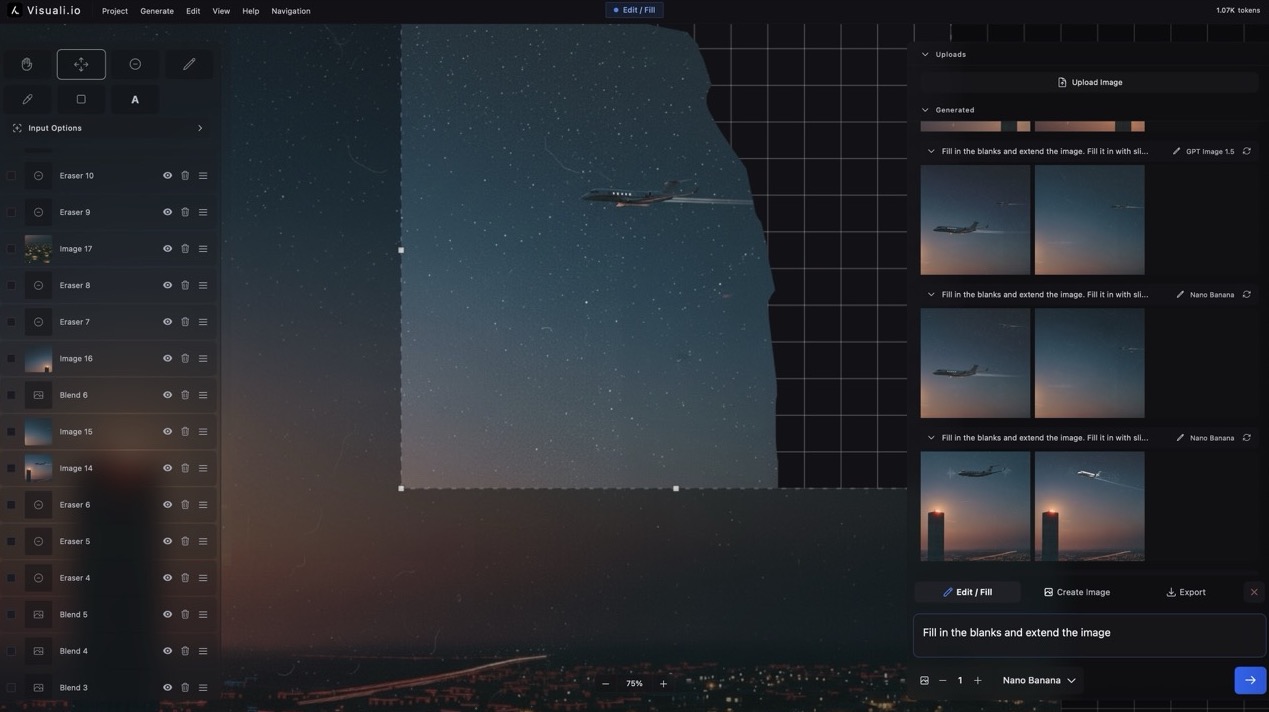
Inpainting. Outpainting.
The Visuali canvas is great for inpainting and outpainting. Use the eraser tool to erase any area on the canvas and fill it. Drag the generation frame to a blank area to fill it and extend the image. With an infinite canvas, the possibilities are endless.
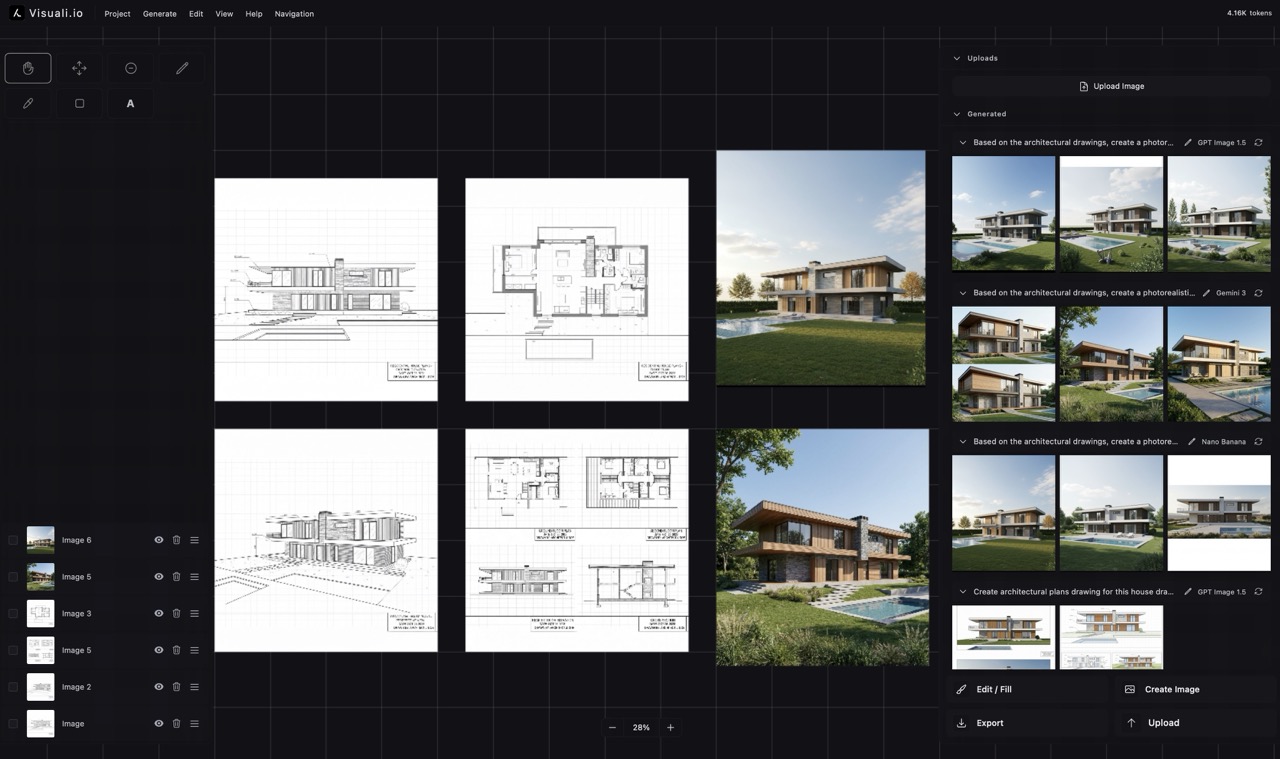
See it used for architecture
Renders extended and reworked on a full canvas.
About Visuali
Visuali is an AI image workspace: an editor on an infinite canvas, and an agent that creates for you via the chat.
- Create on a canvas. A visual workspace
- Generate or upload images, describe or show what to edit, and expand in any direction without boundaries.
- Frontier AI models
- Create with the best AI models. Select from 10+ image models with stunning quality, resolution and speed.
- All the tools you need
- An infinite canvas with pan and zoom, drawing, text with multiple fonts, and full control over every layer.
- Use on any device
- Visuali works on desktop, tablets and mobile. It can be installed as an app and your projects are accessible across all devices.