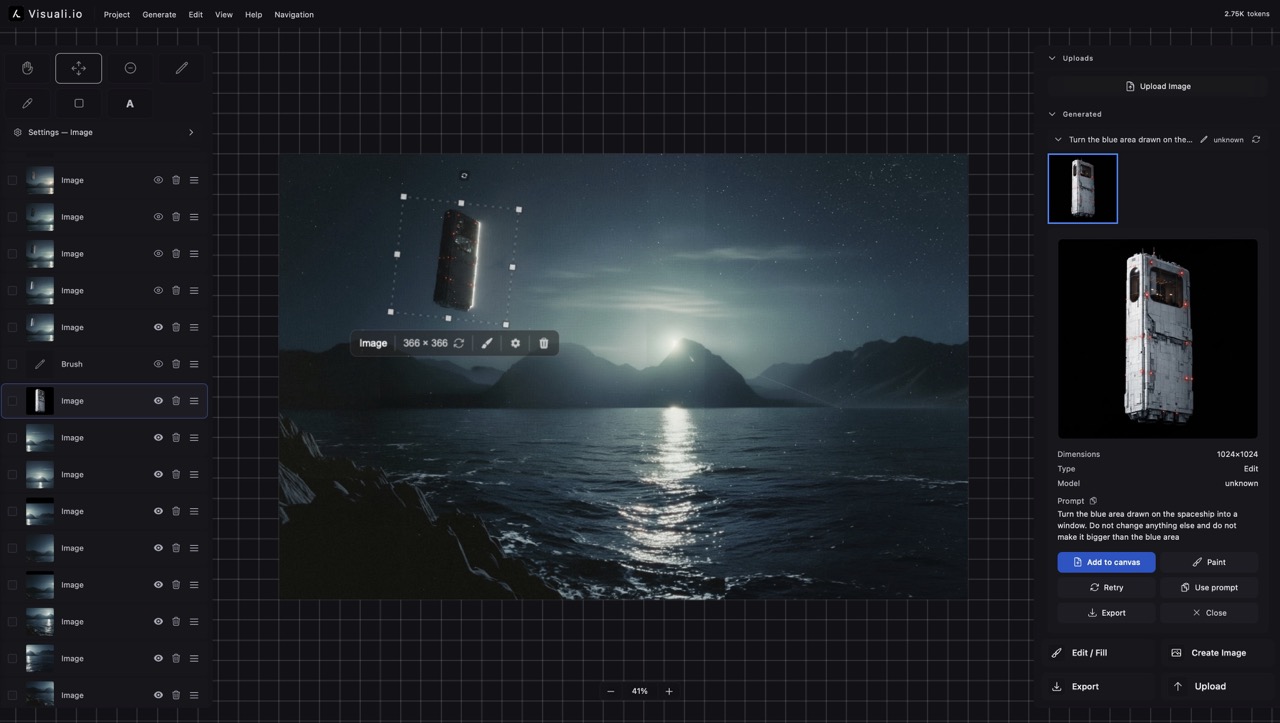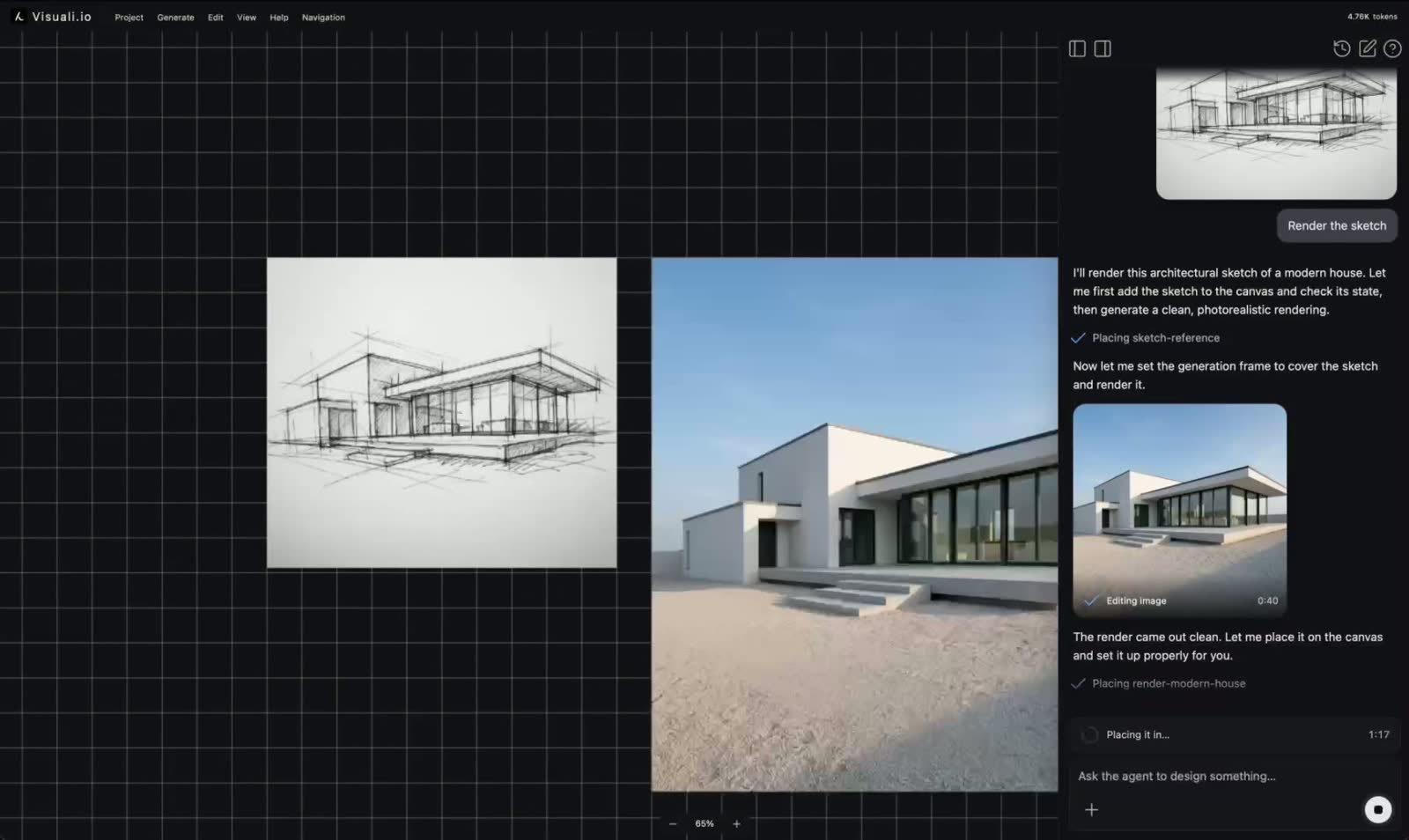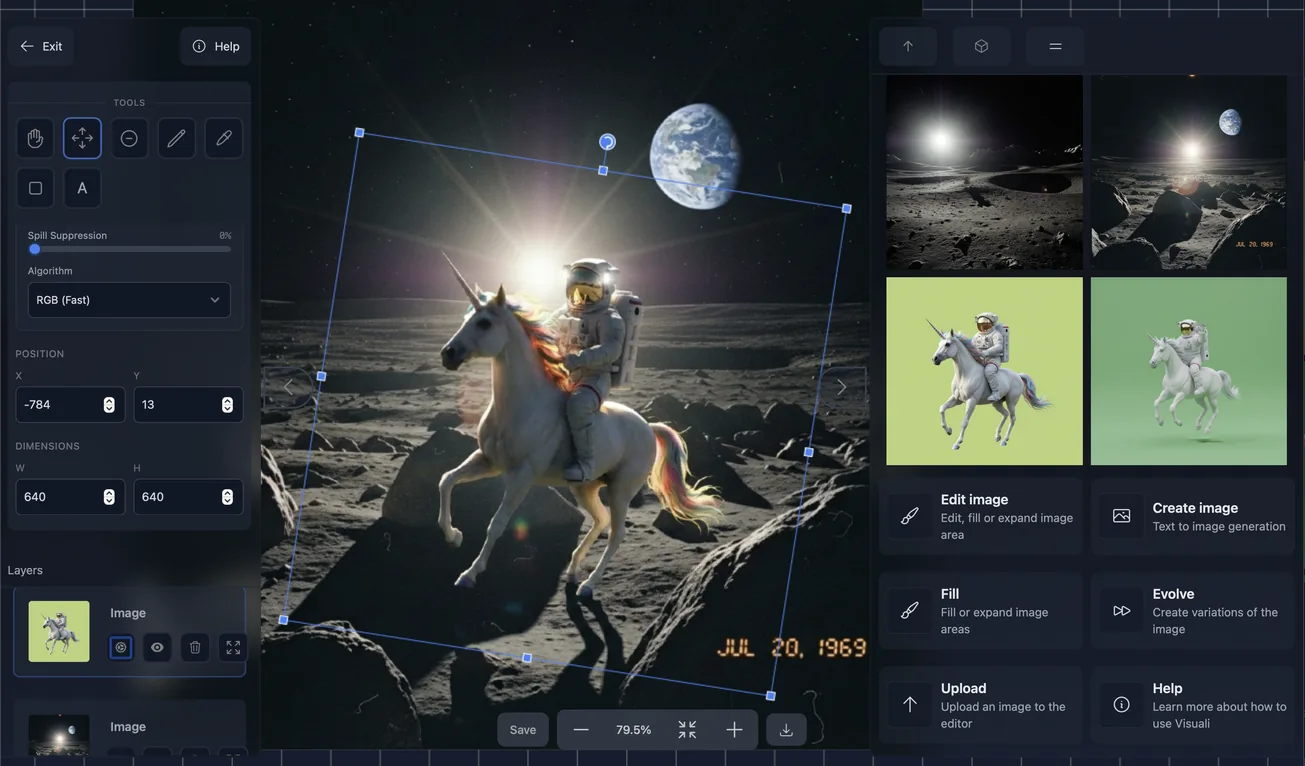

Visuali just recieved its biggest update yet. Not only has the design been improved, you now have much greater control inside the editor.
Its now possible to:
- Generate and upload images up to 2048 x 2048 pixels
- Resize, scale and rotate images and all layers directly on the canvas
- Remove background from images
- Cut out subjects and place on new backgrounds
- Access newer and more powerful AI models for generating and editing images
These new features make Visuali stronger than ever. This article gives a summary of the new updates and a few examples of the endless new possibilities
Remove Background
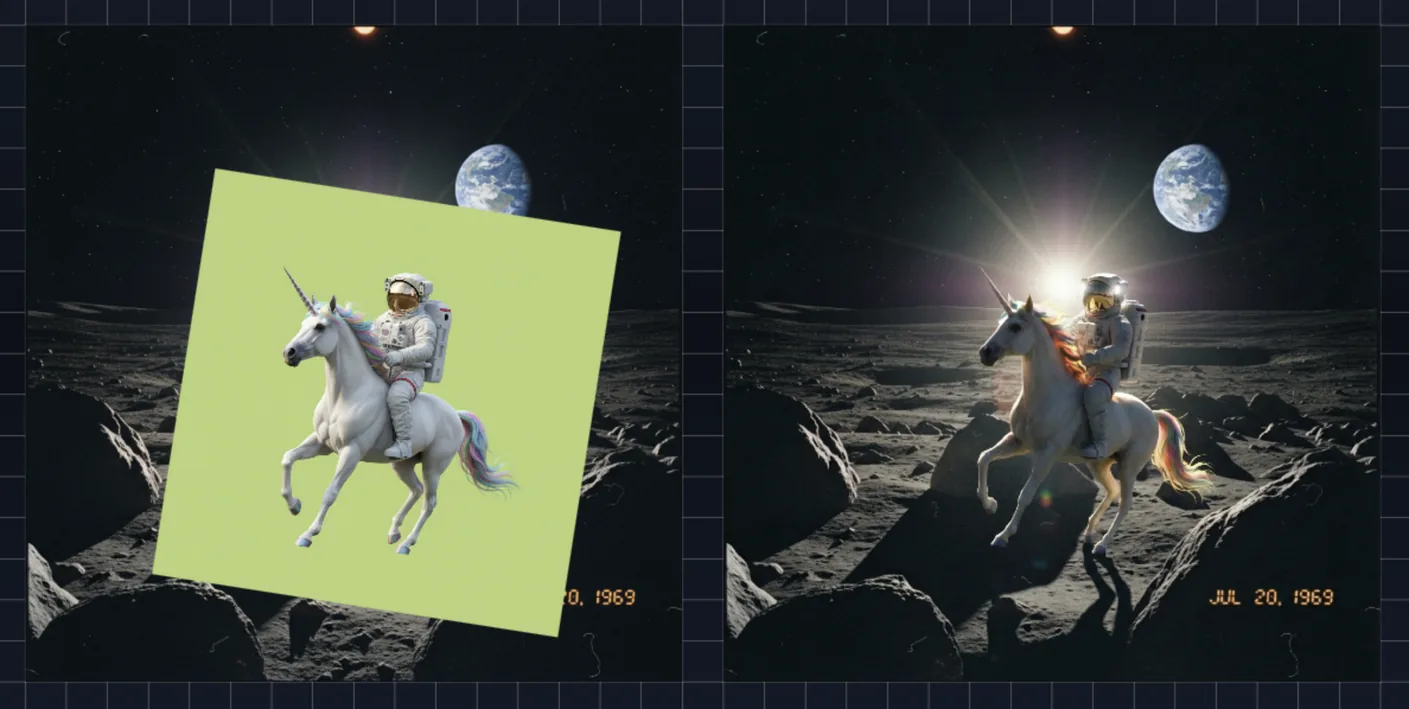
The ability to remove backgrounds transforms Visuali into a compositing tool:
- Create cut outs with transparent backgrounds
- Reuse subjects across multiple scenes
- Layer people, objects, products, props into complex artworks all within the editor
How to use it
- Generate or upload both your subject and background. Make sure the subject has a background that is a solid colour.
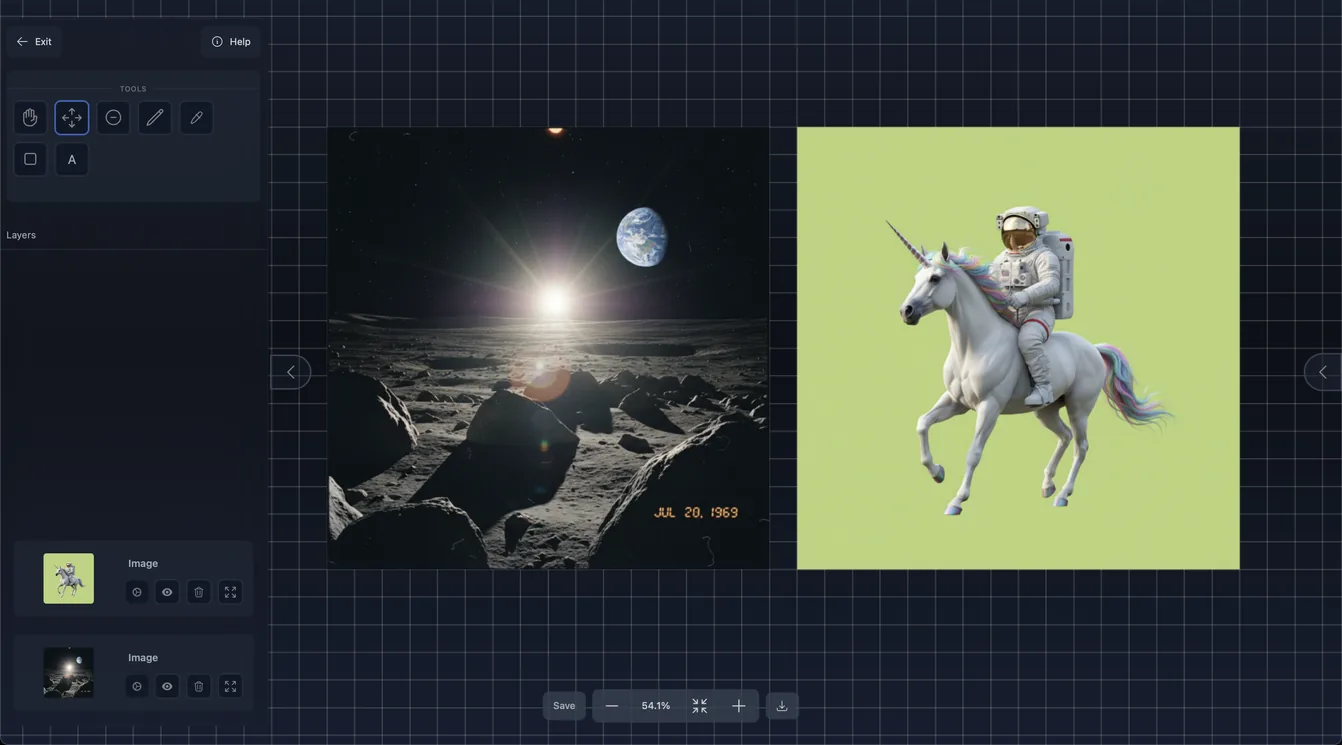
Pro tip: If your subject image has no solid color background, use the edit function and prompt it to place the subject on a background of solid colour
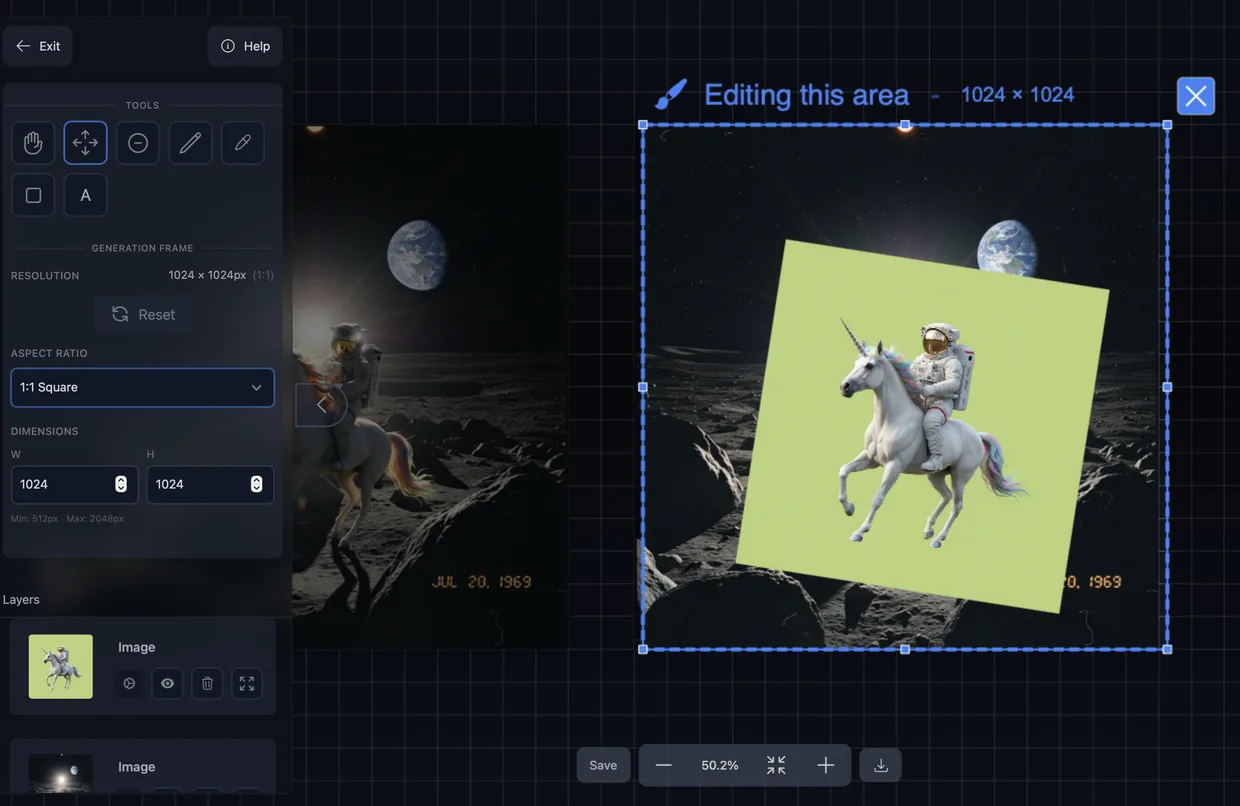
- Move, resize and rotate the subject image into the desired position.
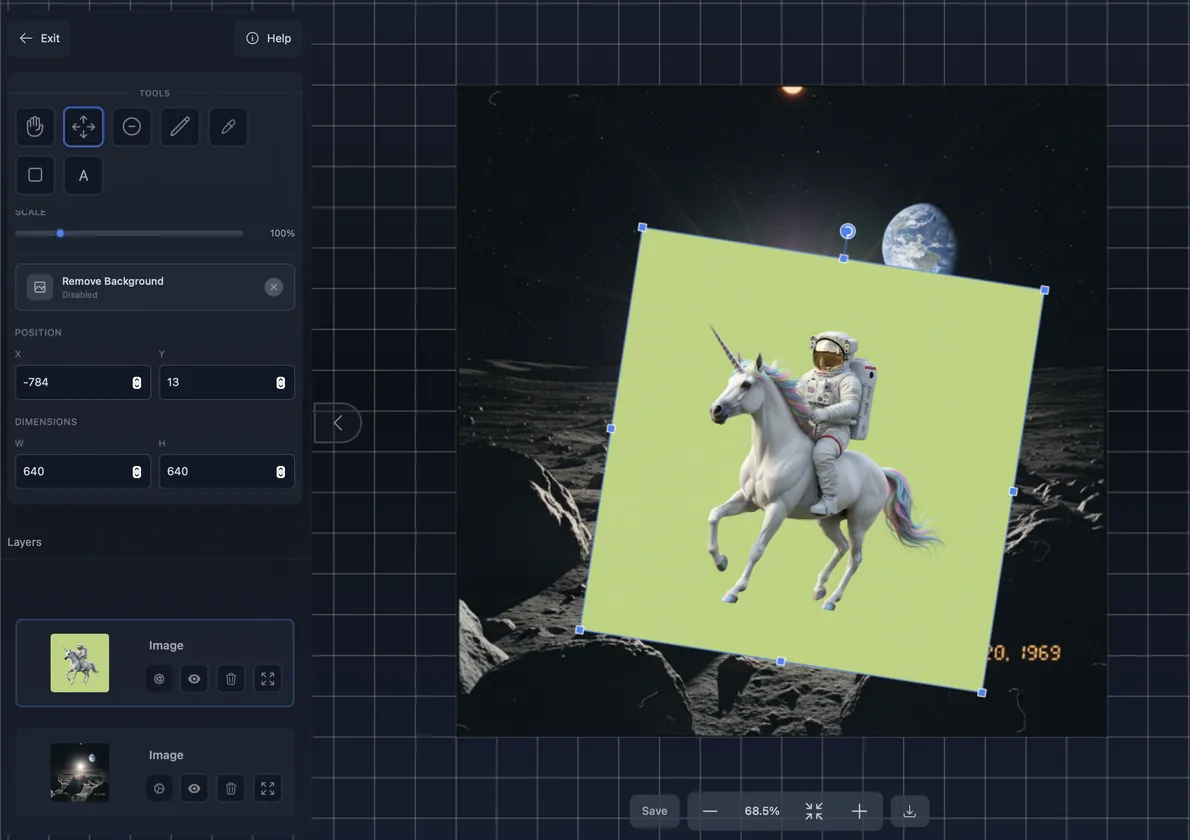
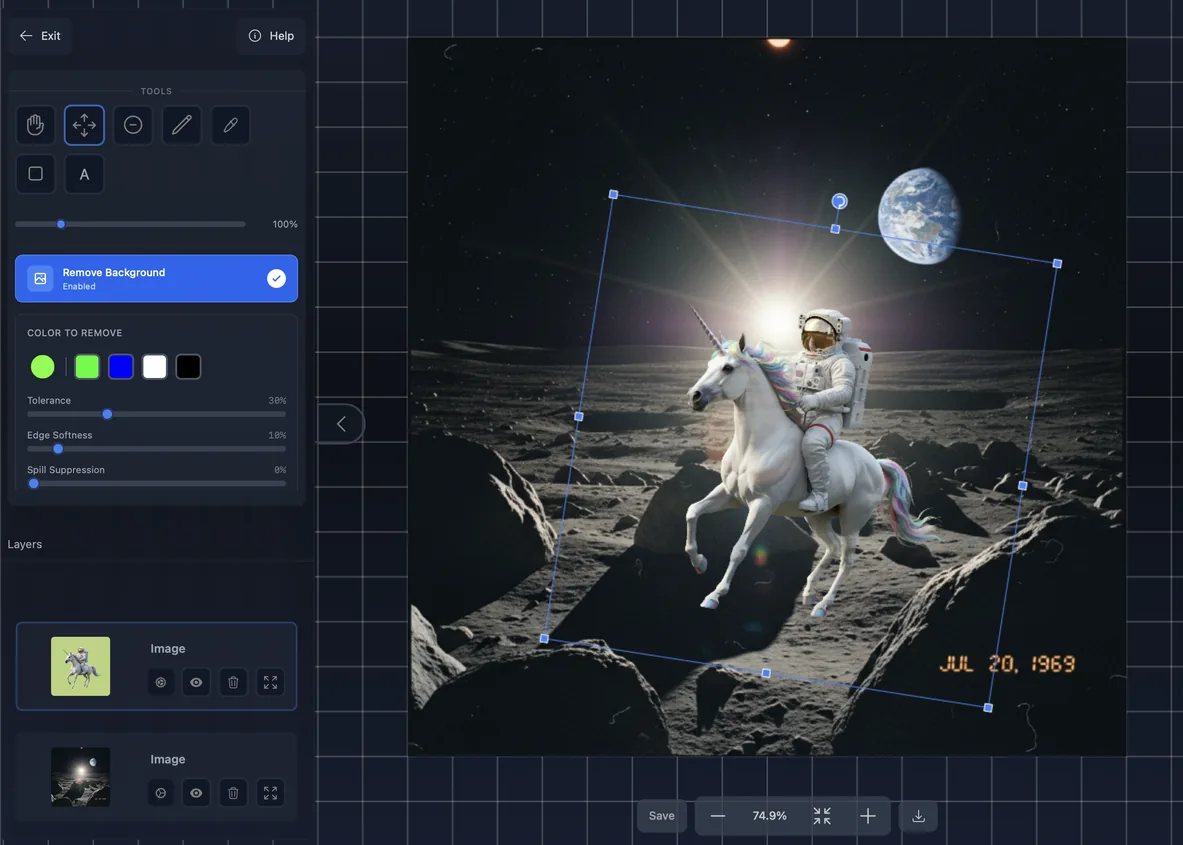
- Click the subject layer and on the left sidebar press "Remove background". Then select the colour the background is and it will automatically remove the background.
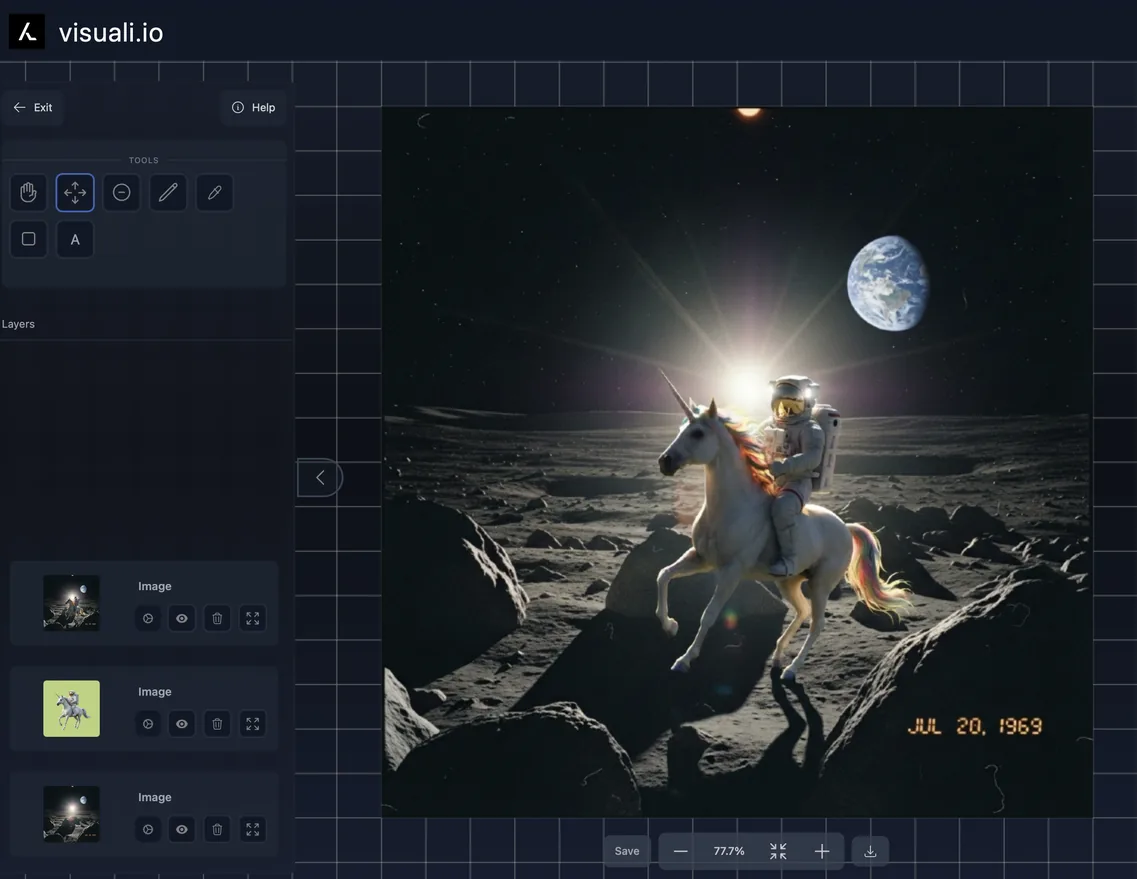
- Re-run the image through the edit or evolve function while prompting it to correct lighting, shadows and finalise the image
Resize, scale and rotation controls
Moving and transforming images is now much more intuitive
- Drag corners to resize and scale
- Drag icon on top to rotate
- Snap to grid or bypass by holding cmd/ctrl
- Select any layer to see a visual outline of it on the canvas and layer info on the left sidebar
Dynamic and bigger generations
A key component and principle of Visuali is the generation frame. This is the "eyes" of the AI model. Its now possible to set this to custom dimensions and resolutions up to 2048 x 2048 (depending on model)
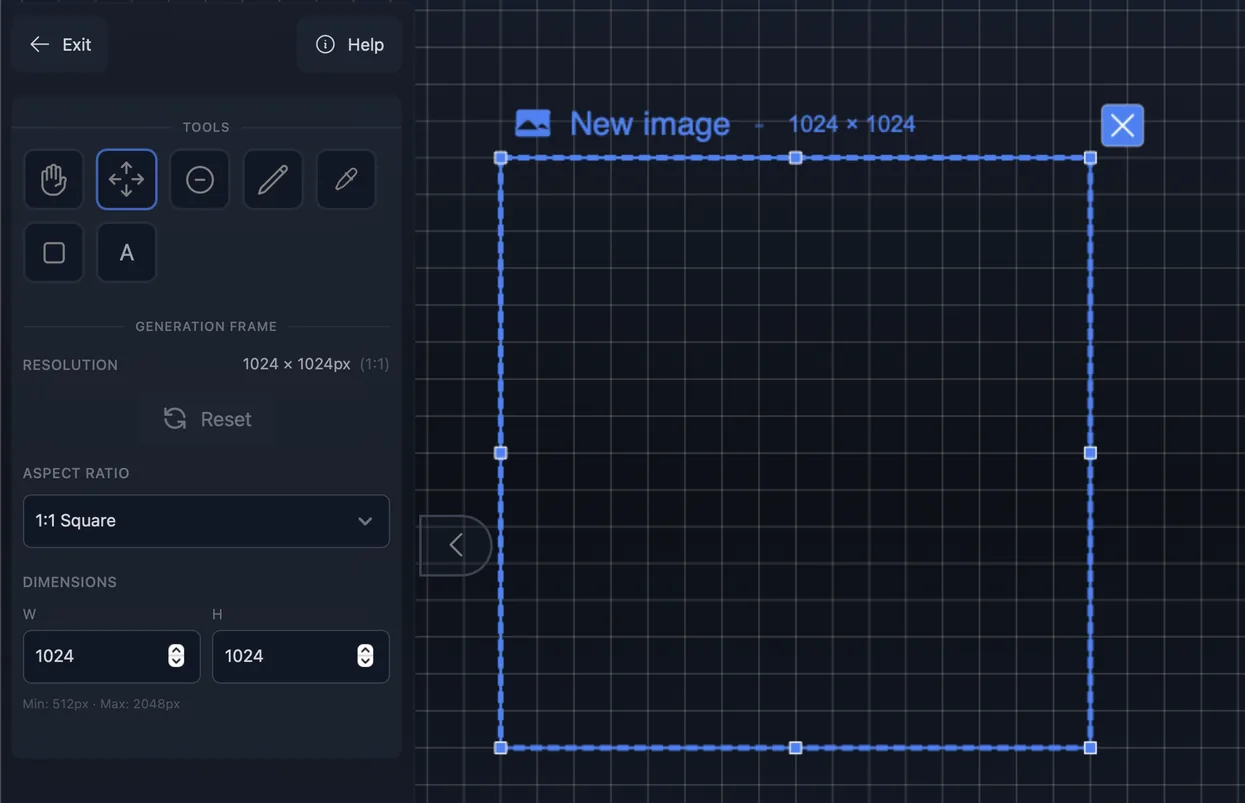
When editing an area on the canvas, the area around the generation frame is now dimmed to clearly show what will be sent to the AI model as image input.
Expanded library of AI models
As the AI models keep getting better, so does Visuali. New models more powerful models have been added for both generating new images and editing existing ones
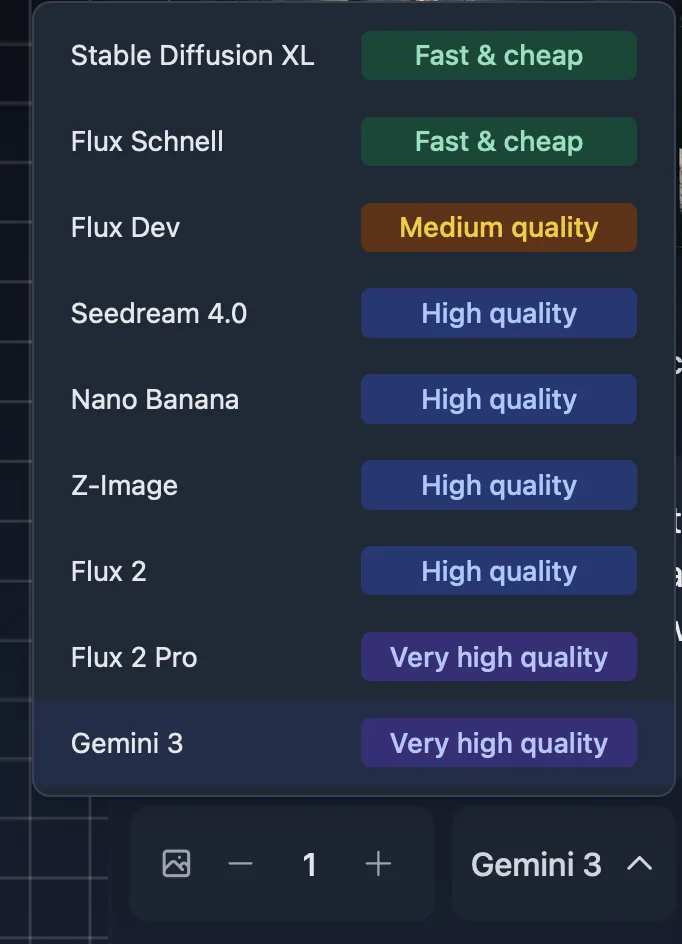
Currently as of December 2025, there are 9 models available and included in Visuali for image generation.
- Stable Diffusion XL
- Flux Schnell
- Flux Dev
- Seedream 4.0
- Nano Banana
- Z-Image
- Flux 2
- Flux 2 Pro
- Gemini 3 / Nano Banana Pro
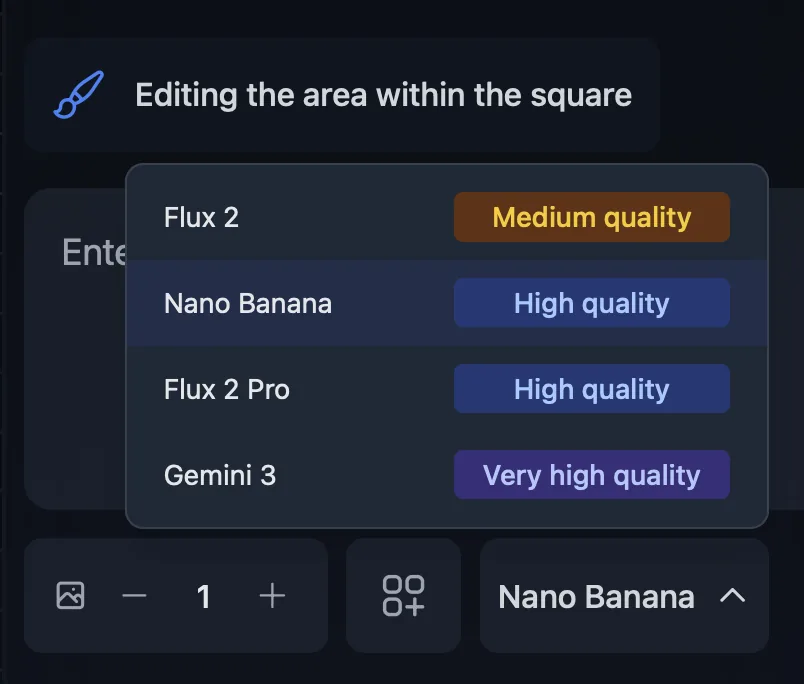
There are now also 4 different models available and included for image editing
- Flux 2
- Nano Banana
- Flux 2 Pro
- Gemini 3 / Nano Banana Pro